Contributing
We are interested in contributions from all CIDA members!
For organization and tracking purposes, we ask that all contributions are submitted through GitHub.
Submitting an Issue
To submit an issue, navigate to the Issues page for this repository.
When creating an issue, you can assign specific 'tags' which relate to the type of request you are making (i.e. bug report, request for a new article, etc.)
The GitHub issues page is useful for:
- Bug/Issue Reports - Reports for broken links, visual bug, outdated/incorrect information, etc.
- Article/Tutorial Requests - If you would like to have a tutorial/article/vignette generated for a specific topic, feel free to submit an issue!
Submitting a Pull Request
We are happy to accept pull requests for:
- Content Edits and Updates - If you identify an issue with the site, or have suggested edits to existing content, we are happy to merge these in via pull request!
- Articles/Tutorials/Vignettes - If you want to share your expertise in a specific area via an article, tutorial, or vignette, feel free to submit a pull request and we will merge your contributions into the site!
See the Making Changes section for detailed instructions on how to set up a local environment for contributing to the site.
Making Changes
This site uses the Zensical static site generator, which generates a fully-featured HTML documentation site from standard Markdown (.md) documents.
The raw .md files are located in the docs/ folder, and the mkdocs.yml file defines the structure (table of contents sidebar, categories, etc).
1. Fork the repository
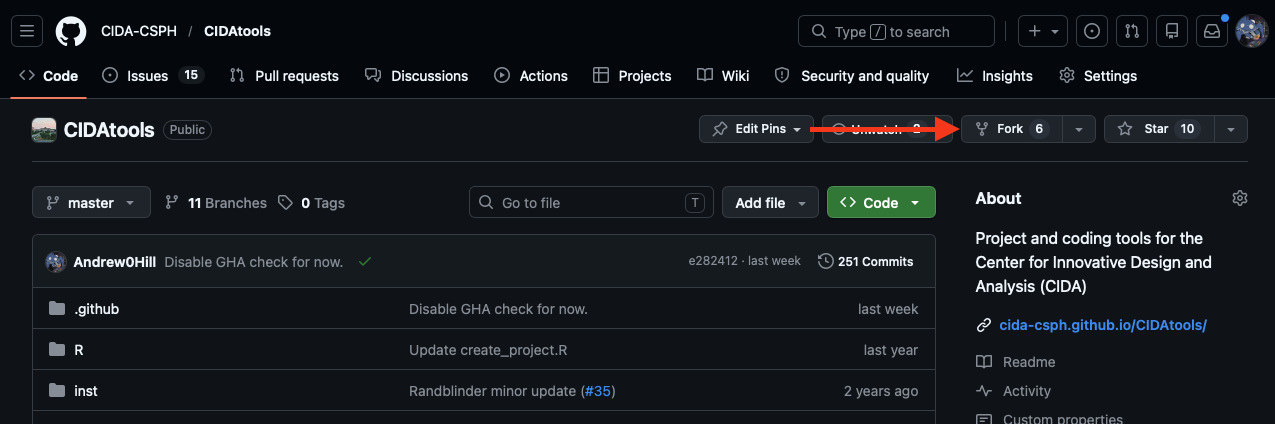
Forking the RT_Test_Site repository creates a copy of the repository under your own GitHub username, which you can then edit freely.
You can create a fork using the 'Fork' button on the main repository:
2. Clone the forked repository
You can clone your fork of the site repository using any method you find convenient (command line, RStudio, etc).
3. Configure local site builds (Optional)
Since articles are written in Markdown (.md) format, it is possible to make changes/edits and use the RStudio/VSCode Markdown preview to visualize the result.
However, for more complex edits, or for generating new articles with tables, figures, etc it is beneficial to configure a local site build. This will allow you to view a local version of the site with your changes applied, so you can visualize what the resulting HTML page will look like when deployed.
To configure a local environment to build the site, first install the uv environment manager. uv is available for all operating systems (and can be obtained via homebrew on Mac).
Once uv is installed, run:
to install Python and configure all project dependencies.
To generate a local build of the site, run:
This will start a development server which will build the site and host it locally on your machine at localhost:8000.
As you make changes to the (.md) files in the docs/ directory, your changes should be reflected live in the local version of the site.
4. Commit your changes
As you work on your contribution, you can commit and push changes to your local fork using the usual git add, git commit, git push routine.
5. Open a Pull Request
To merge your contribution into the main site, visit the page for your fork on GitHub, and select the Contribute -> Open Pull Request option.